Custom 6 Page Brochures – Full-Color Tri-Fold & Z-Fold Printing
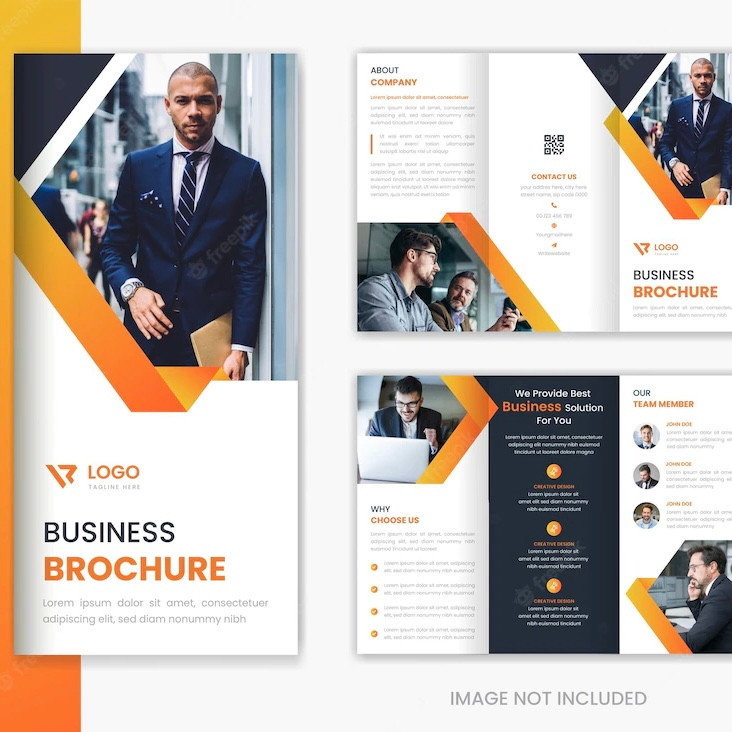
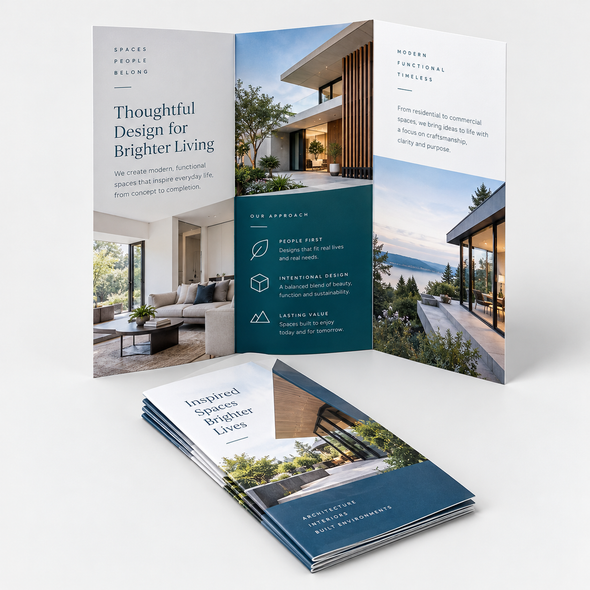
Present your products, services, and brand story in a clear, professional format with Custom 6 Page Brochures. Printed in full color on both sides, each brochure provides six organized panels for photographs, service details, pricing, promotions, contact information, and calls to action. Choose from three popular sizes, multiple gloss and matte paper stocks, and Tri-Fold or Z-Fold configurations for an effective marketing piece that is easy to distribute.
Key Features and Benefits
-
Six organized panels: Divide detailed information into clear, easy-to-follow sections.
-
Full-color printing on both sides: Display photographs, graphics, brand colors, and promotional messages across the entire brochure.
-
Three popular flat sizes: Choose 8.5" × 11", 8.5" × 14", or 11" × 17" according to your content requirements.
-
Gloss and matte paper stocks: Select the surface and weight that best complement your design.
-
Tri-Fold and Z-Fold options: Organize the six panels according to your message, layout, and intended reading sequence.
-
Quantities from 100 to 5,000: Order an appropriate amount for a local campaign, event, sales team, or larger distribution.
-
Professional prepress review: Submitted artwork is checked for common production concerns before printing.
-
Digital proof before production: Confirm the panel order, fold placement, content, and overall design before the job moves forward.
Six Panels for Professional Marketing
A 6-page brochure is produced from one sheet printed on both sides and folded into three panels. This creates six printable sections that can guide readers through your message in a logical sequence.
Use the front panel to introduce your brand, the interior panels to explain your products or services, and the back panels for supporting information, contact details, and a clear call to action. This organized structure makes the brochure compact enough for convenient distribution while providing more room than a traditional flyer.
A typical six-panel layout may include:
-
Front cover with a headline and branded image
-
Company introduction or overview
-
Product or service information
-
Features and customer benefits
-
Pricing, testimonials, or promotional offers
-
Contact information and call to action
Available Sizes
Choose from three popular flat sheet sizes:
-
8.5" × 11"
-
8.5" × 14"
-
11" × 17"
The appropriate size depends on the amount of content, desired panel dimensions, distribution method, and visual presentation. Larger formats provide additional room for photographs, product comparisons, maps, schedules, menus, and detailed service information.
Final panel dimensions vary according to the selected sheet size and folding method. Prepare the artwork using the correct production template.
Paper Stock Options
80 lb. Gloss Book
A smooth, lightweight coated paper that enhances photographs, graphics, and vibrant brand colors. It is an effective choice for promotional brochures intended for convenient distribution.
80 lb. Matte Text
A smooth, non-glossy paper with a refined appearance and comfortable readability. This stock works well for brochures containing substantial text, professional information, or understated branding.
100 lb. Gloss Book
A heavier coated paper that provides a more substantial feel with strong color reproduction and a polished surface. Choose this option when presentation weight and visual impact are priorities.
Folding Options
Tri-Fold
A Tri-Fold divides the sheet into three vertical panels. One panel folds inward, and the opposite panel closes over it. This familiar format is ideal for company introductions, service brochures, product information, restaurant promotions, travel materials, and general marketing.
The fold-in panel may be slightly narrower than the other panels to allow the brochure to close correctly. Use the appropriate template instead of dividing the artwork into three equal sections.
Z-Fold
A Z-Fold uses three panels that fold in alternating directions to form a “Z” when viewed from above. Each section opens in sequence, making this format useful for timelines, step-by-step instructions, service categories, schedules, maps, and connected visual presentations.
Unlike a standard Tri-Fold, the panels generally open without one being enclosed inside the others. Confirm the correct panel sequence before approving the proof.
Product Specifications
| Specification |
Details |
| Product |
Custom 6 Page Brochures |
| Construction |
One sheet folded into six printable panels |
| Flat Sizes |
8.5" × 11", 8.5" × 14", or 11" × 17" |
| Printing |
Full color on both sides |
| Paper Stocks |
80 lb. Gloss Book, 80 lb. Matte Text, or 100 lb. Gloss Book |
| Fold Options |
Tri-Fold or Z-Fold |
| Quantity |
100–5,000 brochures |
| Artwork Review |
Within 24 hours |
| Proofing |
Digital proof provided by email |
| Production Time |
3–4 business days after proof approval |
Ideal Uses and Applications
Custom 6-page brochures are suitable for:
-
Company profiles
-
Product and service overviews
-
Sales presentations
-
Real estate marketing
-
Restaurant and hospitality promotions
-
Healthcare and medical information
-
School and university programs
-
Nonprofit and fundraising campaigns
-
Travel and tourism guides
-
Event schedules and programs
-
Trade-show handouts
-
Retail promotions
-
Maps and visitor information
-
Pricing and service guides
-
Direct-mail campaigns
-
Welcome and information packets
Design Recommendations
Create a brochure that is easy to understand by giving each panel a specific purpose. Arrange the content according to the order in which readers will see it after folding.
For better results:
-
Use the correct template for the selected size and fold.
-
Keep headlines concise and easy to scan.
-
Place essential text and logos away from trim and fold lines.
-
Avoid positioning faces, small text, or important graphics directly across folds.
-
Use high-resolution photographs and graphics.
-
Maintain consistent fonts, colors, and spacing throughout the design.
-
Verify the front cover, back cover, and fold-in panel positions.
-
Include a prominent call to action and current contact information.
-
Convert fonts to outlines or embed them in the final PDF.
Artwork and File Setup
Prepare your print-ready brochure artwork according to the following requirements:
-
Include a 0.125" bleed around the outside edges where required.
-
Keep important text, logos, and other essential elements safely inside the trim area.
-
Keep critical content away from fold lines.
-
Prepare the artwork according to the correct size and folding template.
-
Accepted formats: EPS, AI, PSD, JPG, PNG, and PDF.
-
Maximum upload size: 75 MB.
-
Submit high-resolution artwork for the best reproduction.
-
Review the panel sequence and orientation before uploading.
If your artwork exceeds 75 MB, contact us for an FTP upload option. You may also export a large design as a high-resolution JPG or PNG to reduce the file size.
AI and PSD templates are available for applicable product sizes. To request a template, provide your order number, selected brochure size, and folding style.
From Your Idea to Finished Print—Made Simple
Ordering professionally printed brochures does not have to be complicated. Choose your specifications, prepare your artwork, and we will guide the project through proofing, production, and delivery.
01 — Choose Your Product
Select the brochure size, paper stock, fold style, and quantity that fit your marketing project.
02 — Create Your Design
Start with a professional template, design online, or prepare your own print-ready brochure artwork.
03 — Customize Your Order
Choose your specifications, review your selections, and confirm the estimated pricing.
04 — Place Your Order
Submit your order securely and upload your artwork or completed online design.
05 — Production
After your artwork and digital proof are approved, your brochures move into commercial printing, folding, and finishing. Standard production requires 3–4 business days.
06 — Shipping & Delivery
When production is complete, your order will be packaged and shipped. Tracking information will be provided when available.
If We Find an Issue
Submitted artwork is reviewed within 24 hours for common concerns involving resolution, bleed, trim margins, panel sequence, fold placement, orientation, and image quality.
If something requires correction or clarification, we will contact you before production. Your order will remain on hold until the issue is resolved and the updated proof is approved.
Before final production, you will receive a digital proof by email. Carefully review:
-
Spelling and wording
-
Contact information
-
Photographs and graphics
-
Colors and layout
-
Front and back orientation
-
Panel sequence
-
Fold placement
-
Trim and safety margins
-
Paper, size, fold, and quantity selections
Production begins only after proof approval. The 3–4-business-day production time does not include artwork preparation, proofing delays, or shipping transit time.
Create a polished marketing piece that informs, promotes, and guides your audience with Custom 6 Page Brochures—professionally printed for memorable business communication.